
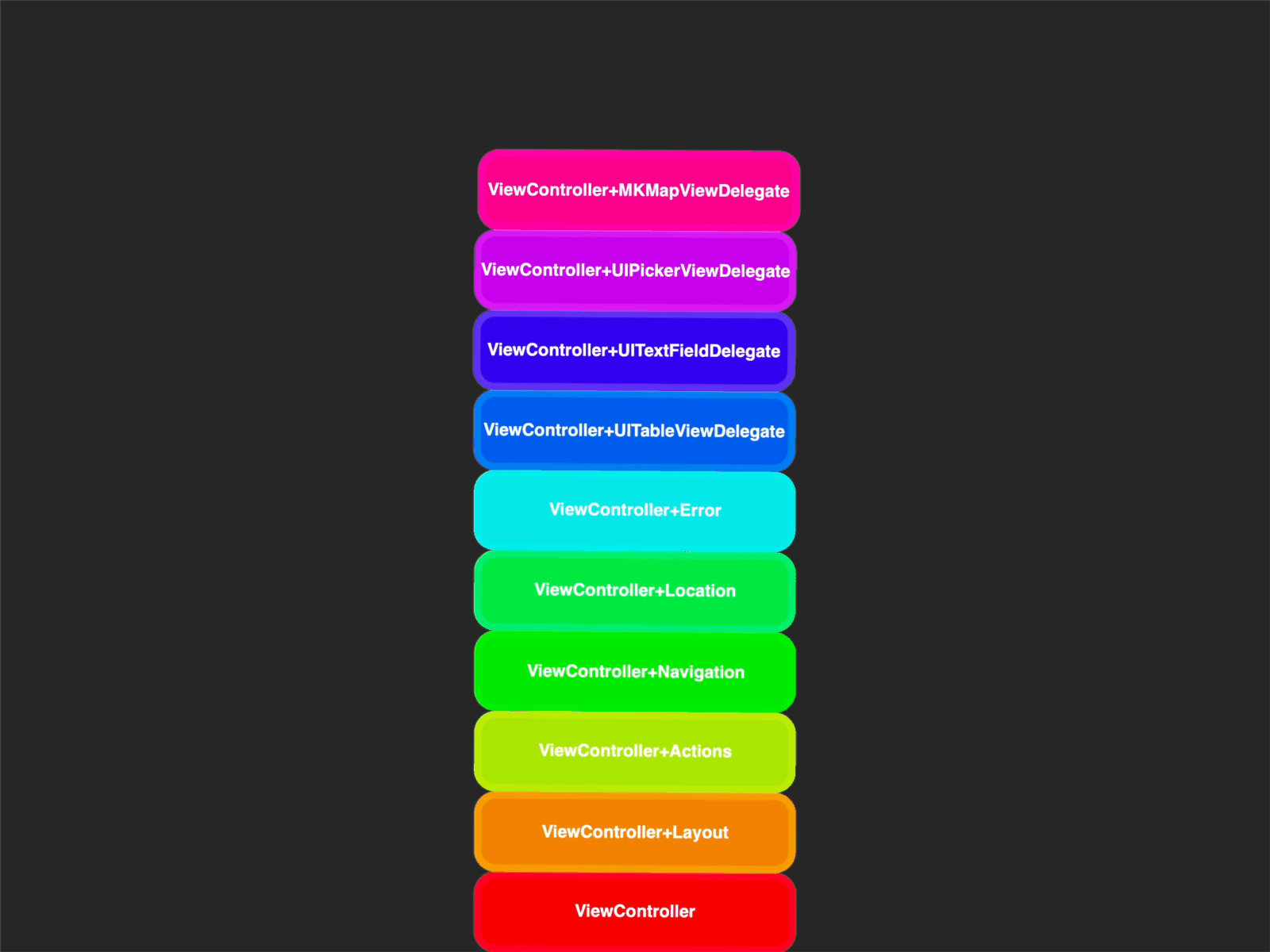
There’s this interesting concept in Swift called extensions that, at first glance, may seem quite simple, but once you try them in practice, they can be an invaluable asset in your Swift developer toolbox. In fact, I found the extensions in Swift so useful and fascinating, that I decided to write down all the cool applications I found for them in this article. 😉
As the name suggests, extensions are used to extend the functionality of existing types by adding computed properties, methods, or even nested types. However, the true utility of extensions becomes apparent when you understand their practical applications. Let me show you several use cases for utilizing extensions in your workflow.
Case 1. Intent Encapsulation
As your codebase grows, you may run into a situation where your classes and structs become cluttered with different kinds of functionality. Of course, where it makes sense, you could simply create a new object to handle a certain aspect of your logic. However, when you want to maintain the cohesion of your objects, extensions come in handy.
For example, in a UIViewController, you might want to separate the code that handles actions from the code responsible for layout. This separation of concerns can make navigating your code much easier.
class MyViewController: UIViewController {
    // General view controller code
}

extension MyViewController {
    // Handles user actions
    @objc func buttonTapped() {
        // Action logic
    }
}

extension MyViewController {
    // Handles layout-related code
    func setupLayout() {
        // Layout logic
    }
}
Case 2. Nested Types
Similarly to the previous case, encapsulating your nested types within an extension can be a great way to organize your code. This makes your codebase more modular and easier to reason about.
For instance, consider a case where you have an error type specific to a particular object. Placing the error type within an extension will clear your main object from unnecessary clutter. This practice is especially useful when you move the extension to a separate file, improving your project’s organization.
class FileHandler {
    func readFile() throws {
        // Reading file logic
    }
}

extension FileHandler {
    struct FileError: Error {
        // Error implementation
    }
}
Case 3. Protocol Conformance
Protocol conformance is another excellent use case for extensions. You can conform a type to a protocol by implementing the protocol in an extension of the type. This is where the true versatility of protocols shines—you can keep your base type clean all the while conforming to any number of protocols in separate extensions. It also makes it easier to see where and how each protocol is implemented.
struct MyObject {
    // Object definition
}

extension MyObject: MyProtocol {
    // Protocol implementation
}
Case 4. Delegation
Speaking of protocols, delegation relies on protocol conformance and presents another great opportunity to use extensions. The delegate pattern is a common design pattern in Swift where a type hands over part of its functionality to another type that conforms to a corresponding delegation protocol. If you’re using the delegate pattern, you can isolate delegate-related code by implementing it in an extension.
I found this especially useful in UIKit when my view controller needs to conform to multiple delegate protocols. For example, when a UIViewController handles both UITextFieldDelegate and UIPickerViewDelegate methods.
class MyViewController: UIViewController {
    // General view controller code
}

extension MyViewController: UITextFieldDelegate {
    // Text field delegate methods
}

extension MyViewController: UIPickerViewDelegate {
    // Picker view delegate methods
}
Case 5. Extending Apple Types
Probably the best thing about extensions is that they are not limited to your own types. You can just as easily extend any existing Apple type or a type from a third-party SDK. This is extremely useful for any repetitive actions on common types like String, Date, etc.
For example, if your app frequently loads and caches images, you could extend UIImageView to encapsulate this logic.
extension UIImageView {
    func loadImage(for user: User) {
        // Image loading logic
    }
}
Wrap Up
As you can see, extension offer many possibilities beyond merely adding a few more methods to your type. You can make your code cleaner and easier to maintain by organizing it with extensions, and offload repetitive task with Apple types by extending them to your liking.
I hope you found this article useful. Let me know what other uses for extensions have you found in your work. Happy extending!